Freshview
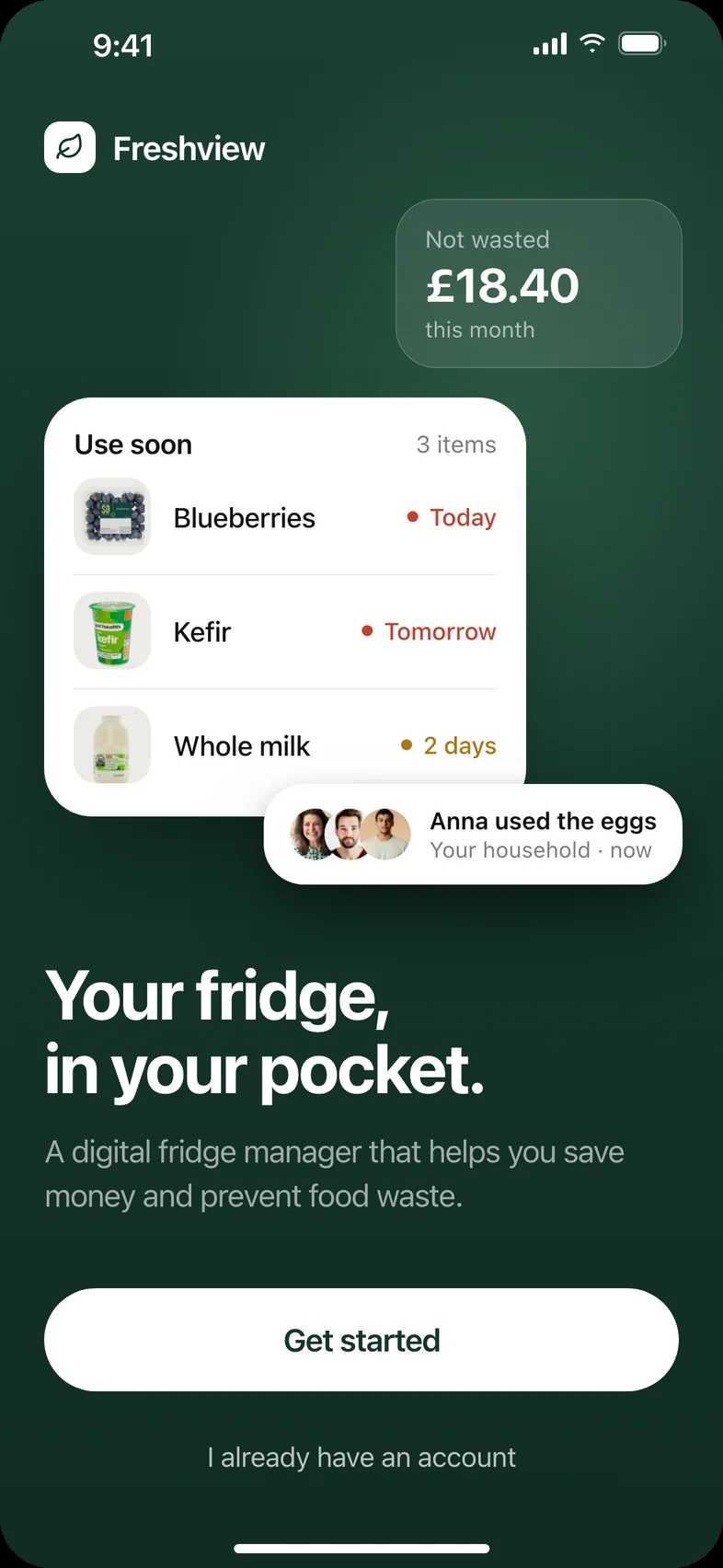
A shared digital fridge that helps households use food before it goes off. Every tester completed every core task, finding what was about to expire in about 3 seconds.
- Problem
- Shared households double-buy, forget what’s at the back of the fridge, and throw food away.
- Approach
- Six interviews, one clear problem to lead with, and a design that puts the effort of tracking food on the app.
- Outcome
- 100% task success across three core journeys in usability testing.
- Role
- Solo UX/UI designer
- Timeline
- May – June 2025
- Team
- Independent
- Tools
- Figma, Miro
Skills
- User research
- Problem framing
- Interaction design
- Mobile UI
Phases
- 01Discover
- 02Define
- 03Ideate
- 04Prototype
- 05Test
01 / Problem
Shared fridges hide food until it’s too late.
I set myself an open brief: explore grocery shopping and find where it breaks. Research and six interviews kept pointing to the same moment, the food nobody remembers buying.
- Tonnes of food wasted in the UK each year
- 9.5M
- Tonnes of food wasted in the UK each year
- Of people in the UK tend to overbuy
- 61%
- Of people in the UK tend to overbuy
- Throw out produce that has gone off
- 62.5%
- Throw out produce that has gone off
02 / Research
Six interviews, in their own words.
Four quotes that framed the brief: food nobody knows they have, food that’s forgotten, money that runs out and ingredients left over.
“Often with my partner, I don’t know what food we already have and sometimes we double-buy.”
Participant 1 “I forget about food hidden in the back of my fridge and it can rot there for weeks before I notice.”
Participant 2 “I often use up all my monthly allowance on groceries before the end of the month.”
Participant 3 “After I make a meal, I have leftover ingredients I don’t know how to use.”
Participant 4
03 / Focus
Five problems surfaced. I chose one to lead with.
Which problem should the app be built around?
Running out of grocery money before the month ends.
Coordinating lists, meals and a balanced diet.
Forgotten, double-bought and expired food.
- Why
- Food waste combined the most frustration with the biggest environmental impact, and it sits at the root of the others: knowing what you have stops double-buying and prompts cooking.
- Tradeoff
- Budgeting and meal planning became supporting features rather than the headline.
04 / Development
From paper sketches to a tested design.
The design moved from paper to a tested prototype to the final app. Each stage kept what worked and sharpened what testing showed.
Stage 01
Sketching every flow
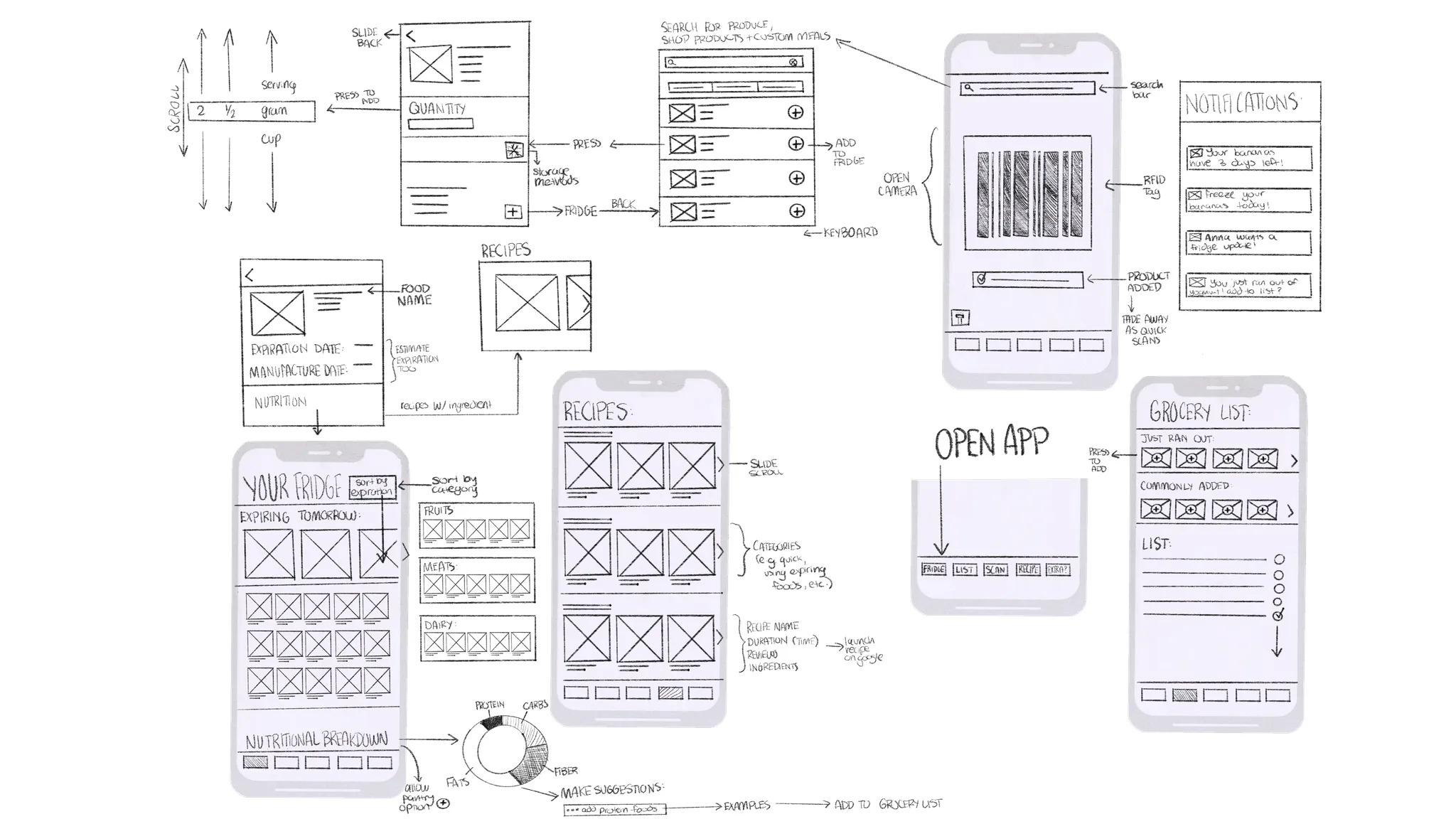
Lo-fi wireframes mapped the core journeys on paper: the fridge, scanning food in, food details, recipes, the grocery list and notifications.
Stage 02
Testing a first prototype
The structure held up: every flow worked. Testing showed where it needed refining, in how items were weighted, how food was removed and how the app moved between screens.
Stage 03
Decisions that shaped the final design
01Expiring food leads
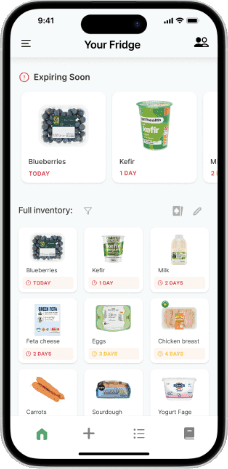
Use-soon items appear first and larger, so there are fewer choices to scan (Hick’s Law).
02Editing made explicit
A controlled edit mode, with micro-interactions that confirm each change.
03Motion with direction
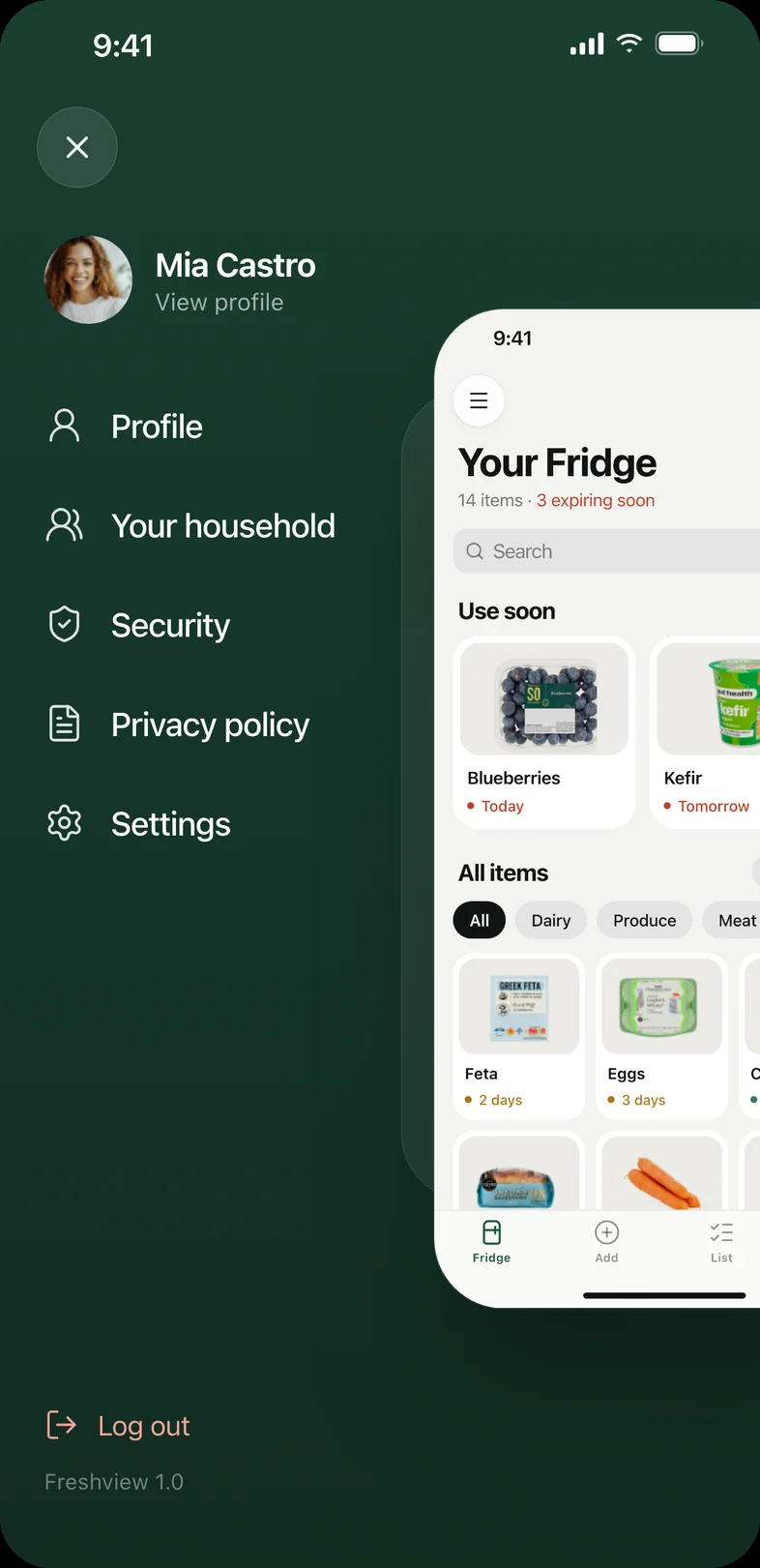
The menu slides the fridge aside, giving the app a physical sense of place.
The edit mode in the final design
05 / Solution
A fridge you can check from anywhere.
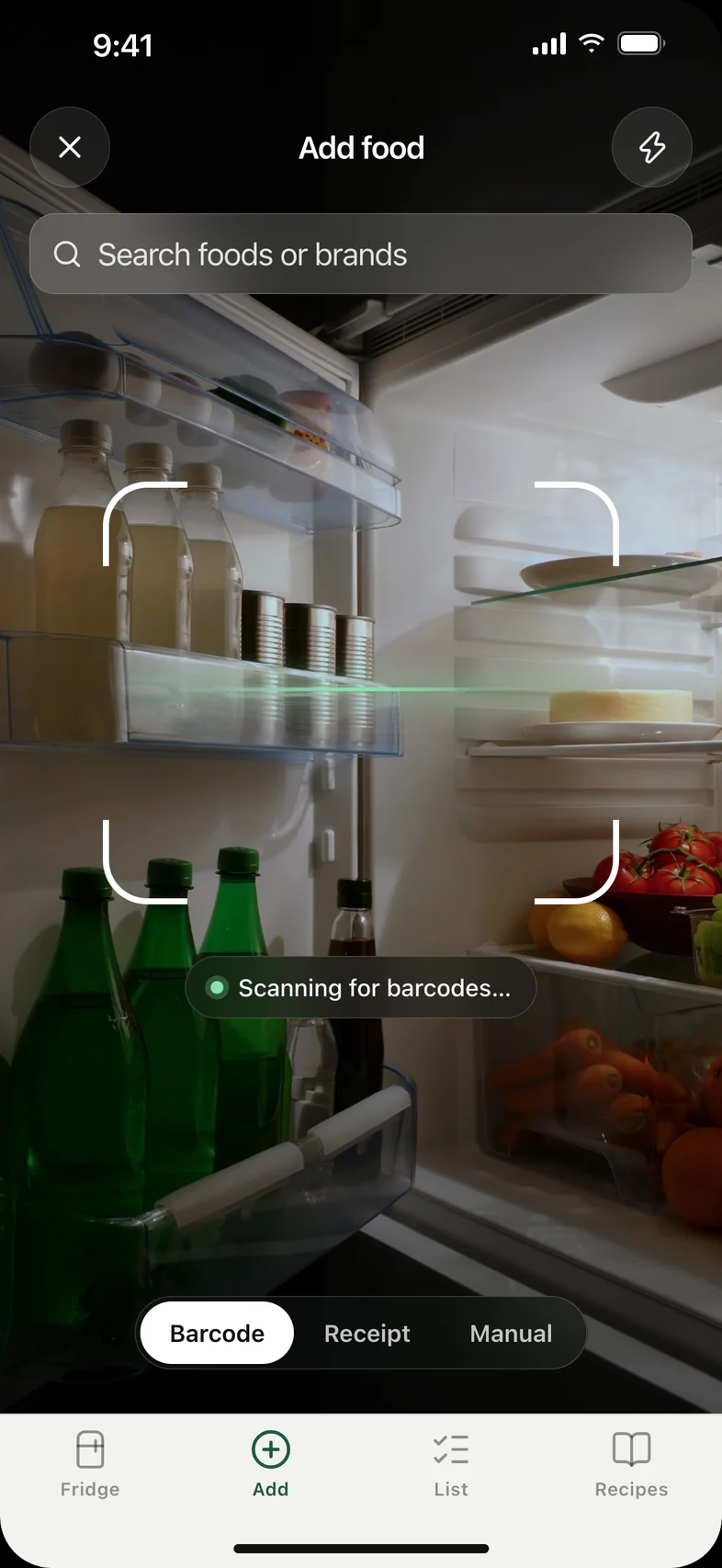
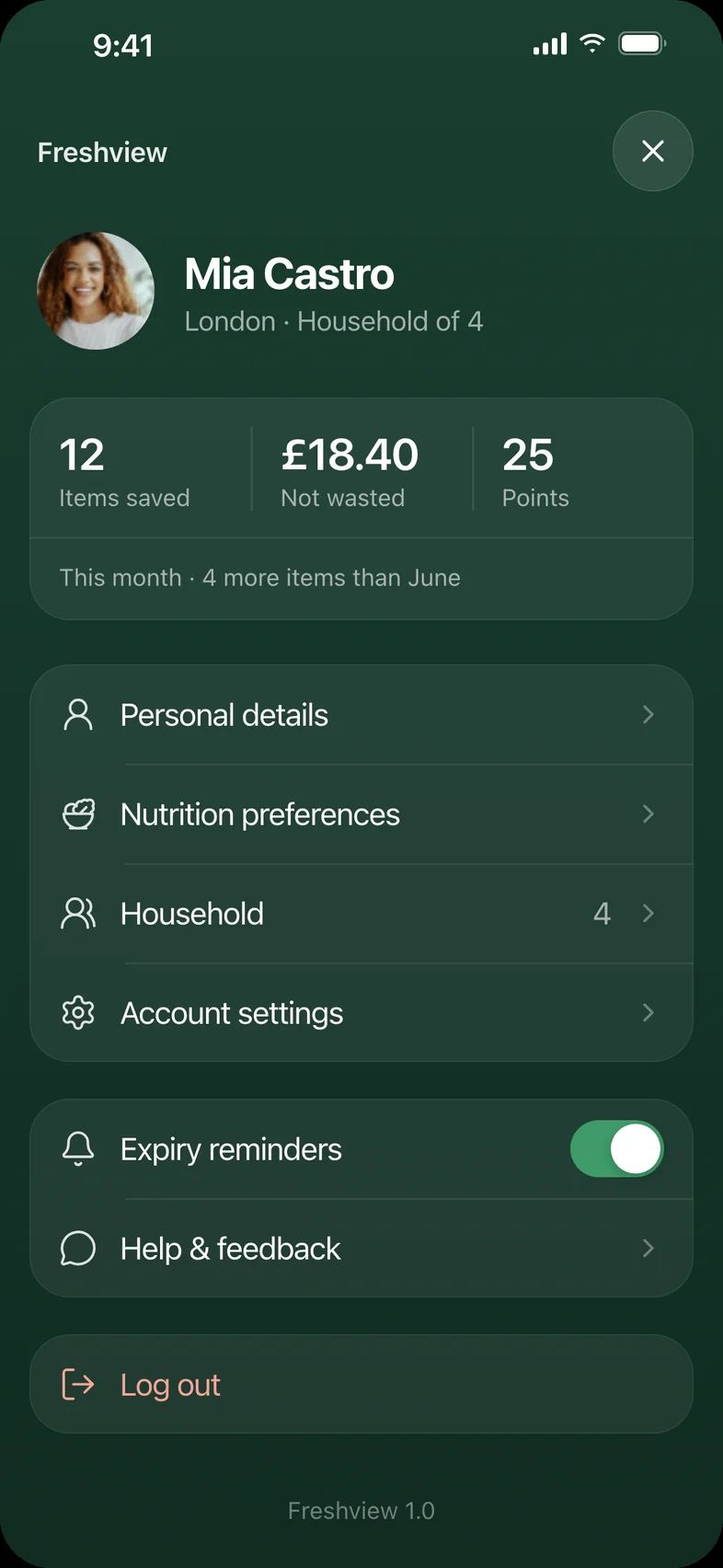
The final app puts the effort of tracking food on the app. Adding food takes a scan, your savings are one tap away, and the menu slides the fridge aside so it never disappears.
Three core journeys
Feature 01
Expiring first
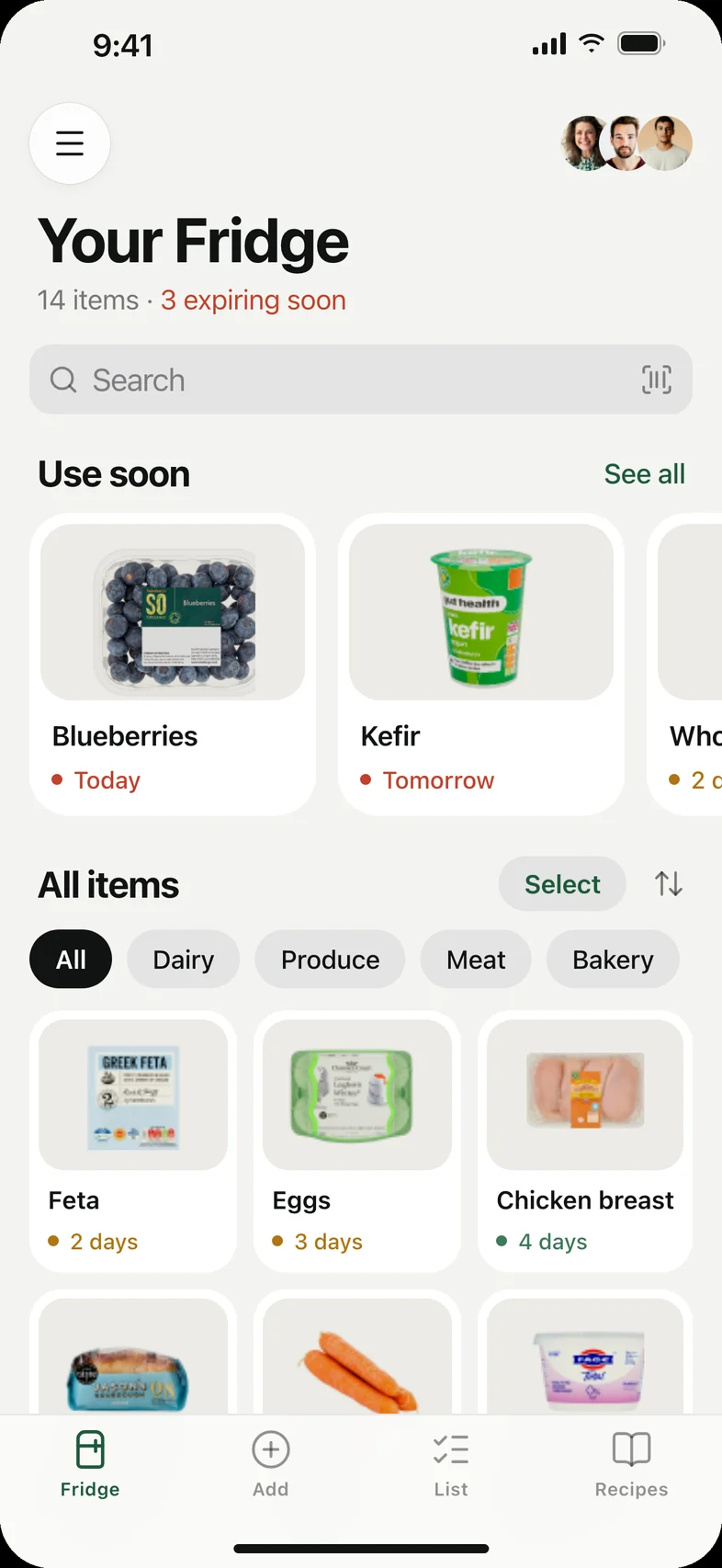
Use-soon food sits at the top, so the answer to “what should we eat?” is the first thing you see.
Feature 02
Scan, don’t type
Point the camera at a barcode and Freshview fills in the product and how long it lasts.
Feature 03
Cook what you have
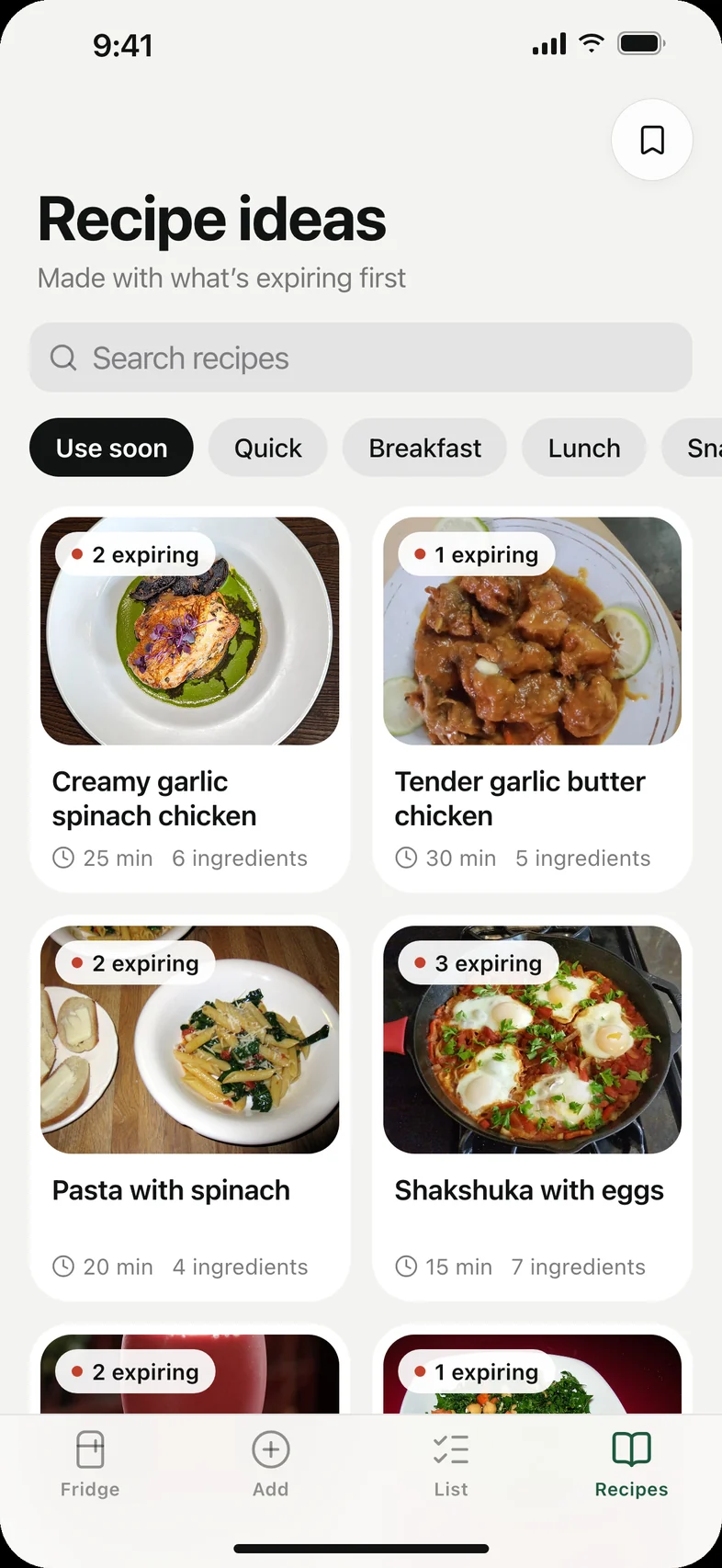
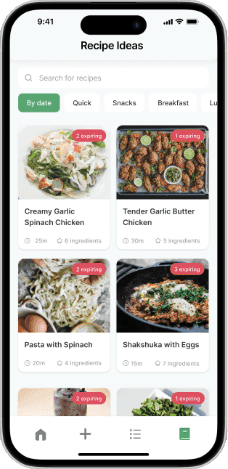
Recipes start from the fridge, using whatever expires next, tagged “from fridge”.
Supporting the whole household
See it all at a glance
Every item in one place, sorted by what’s expiring and filtered by dairy, produce, meat and more.
Shared with housemates
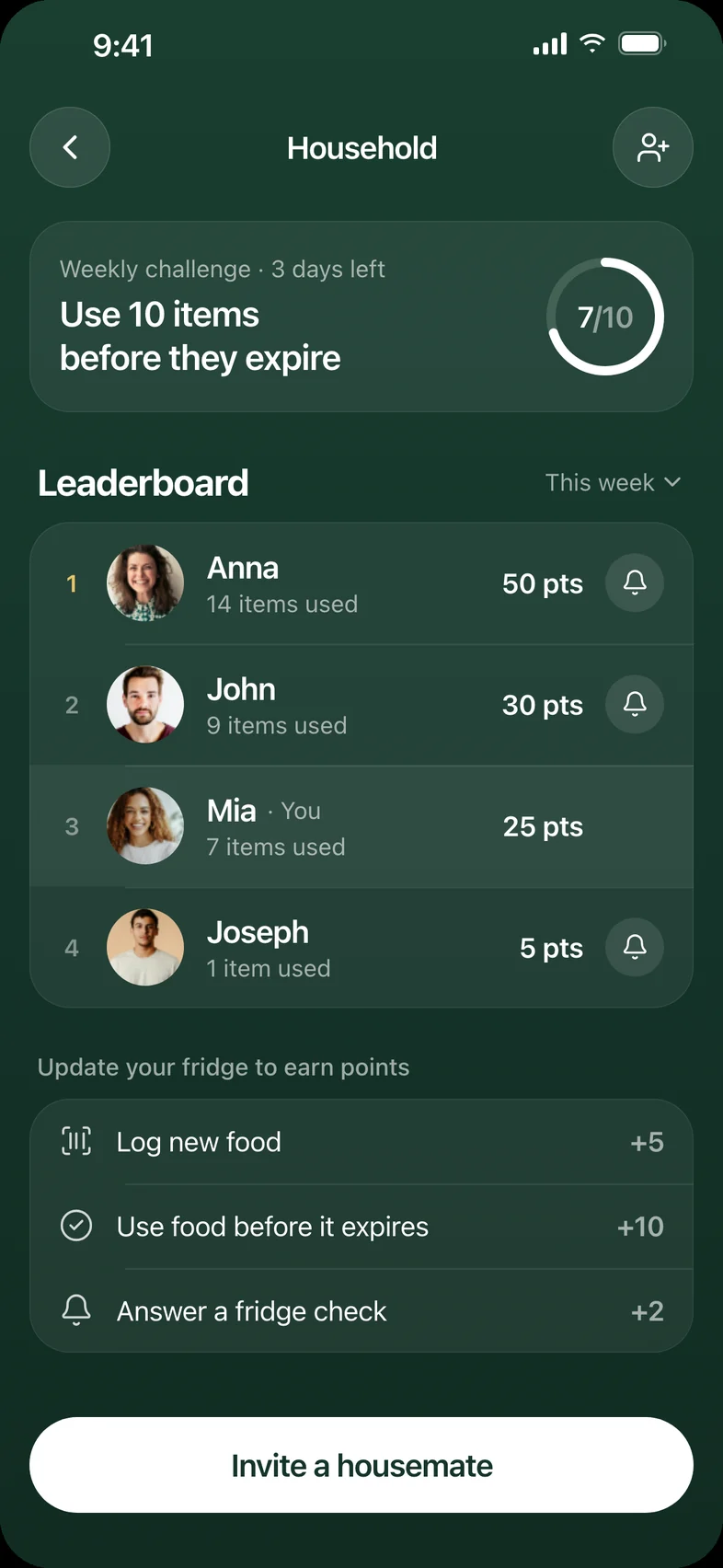
Everyone sees the same fridge, so nobody double-buys. A light leaderboard rewards using food in time.
A quick fridge check
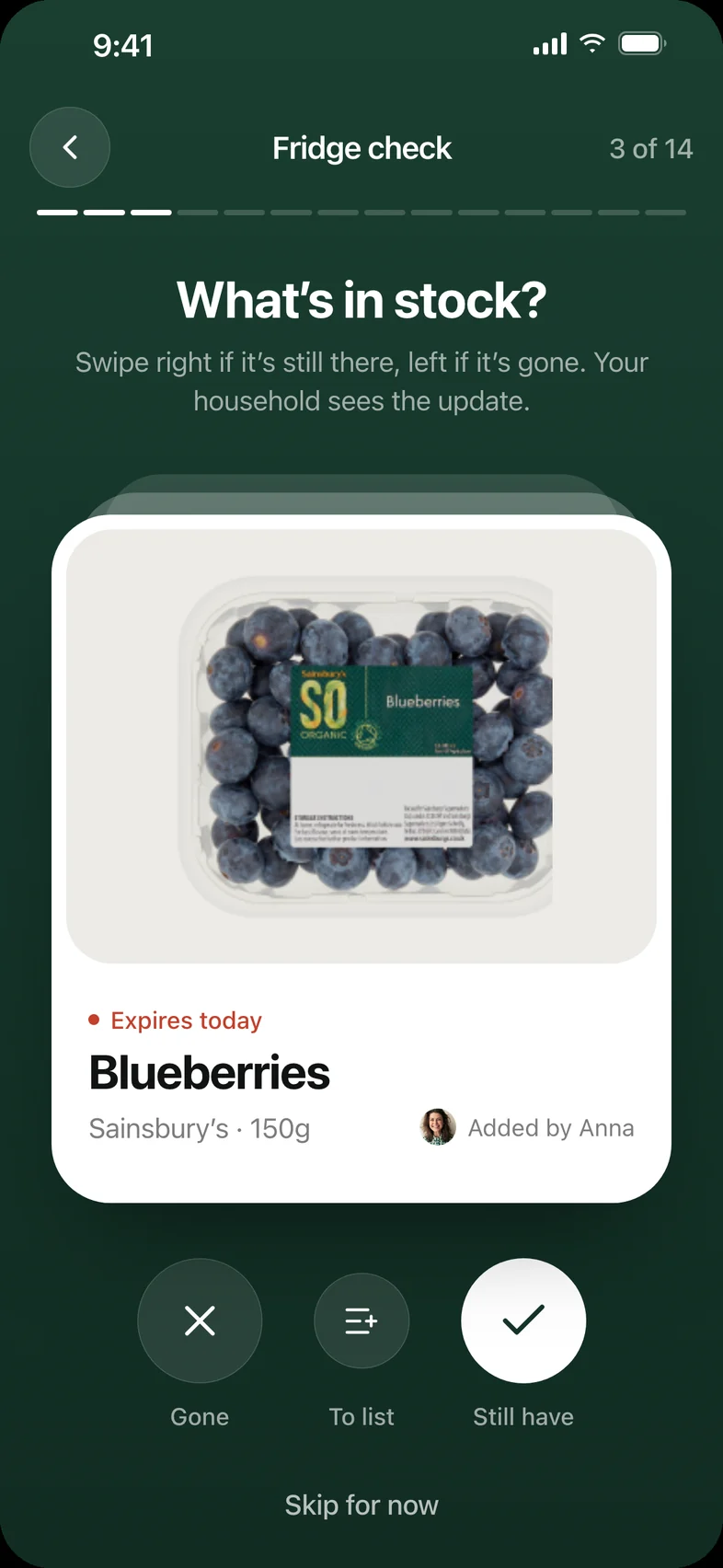
Swipe right if it’s still there, left if it’s gone. The household sees the update.
A list that writes itself
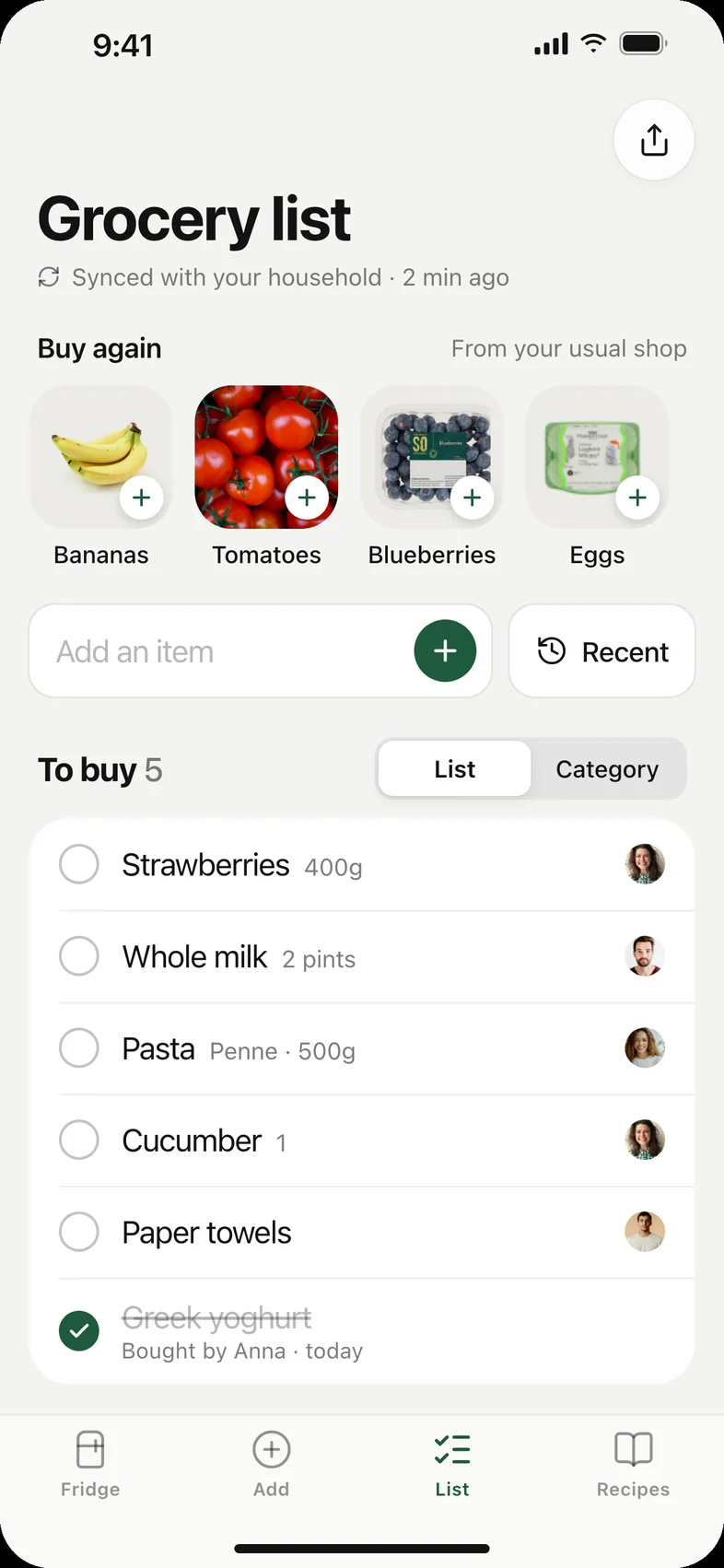
Used-up food lands on the shared grocery list, with suggestions from your usual shop.
06 / Notifications
Nudges before it’s too late.
Notifications connect the app to real life. Instead of waiting for someone to open it, Freshview reaches out at the moment food can still be saved.
Expiry nudge
A reminder the day before food goes off, with a recipe one tap away.
Run-out prompt
When something is used up, it can go straight onto the shared grocery list.
Household request
Housemates can ask for a fridge update, keeping the inventory honest.
Wednesday, July 6
11:56
07 / Details
The small details that build trust.
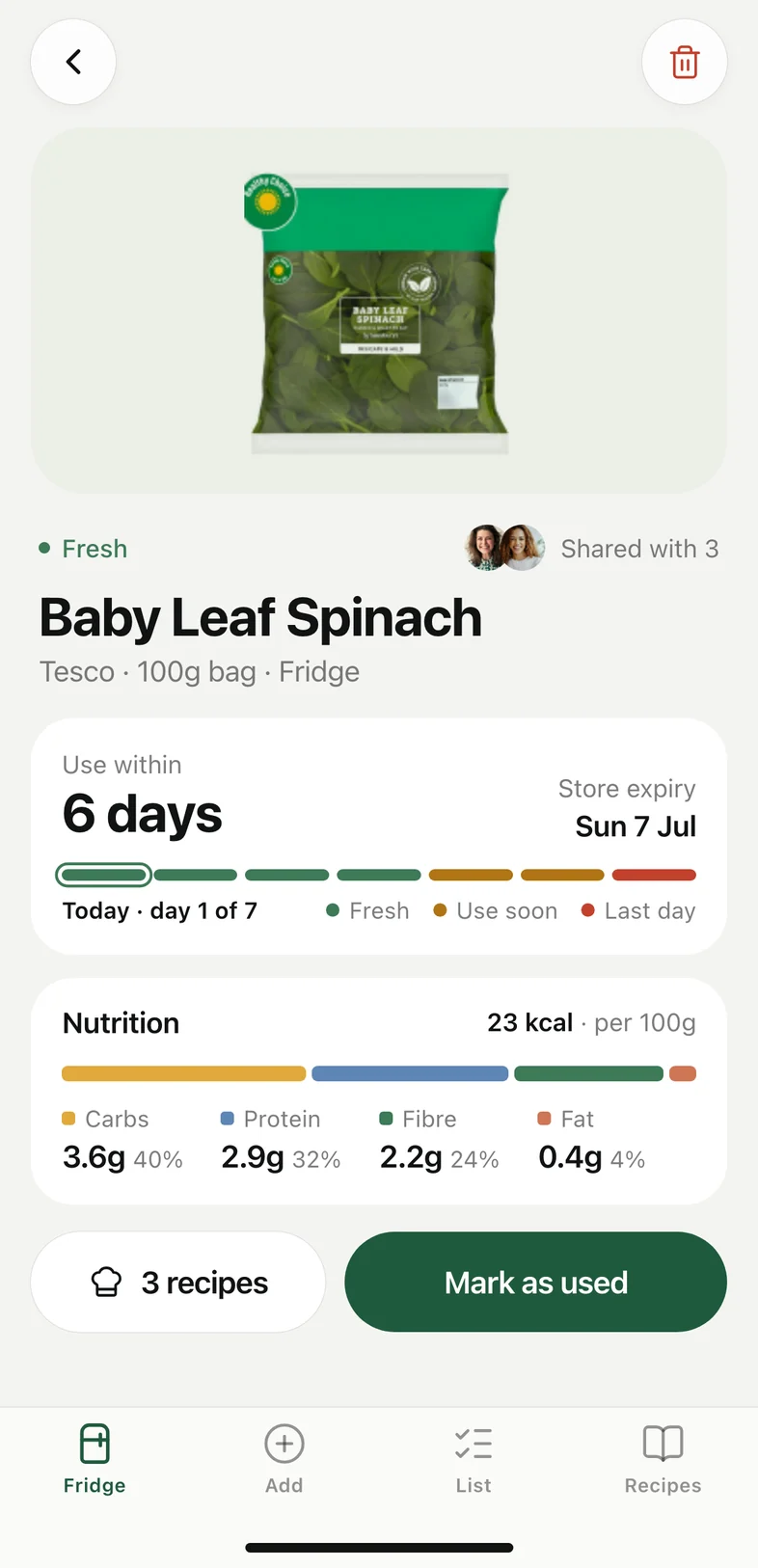
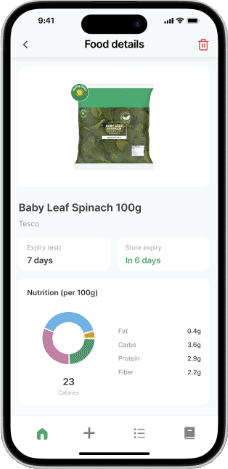
Nutrition and a freshness timeline live on one detail screen.
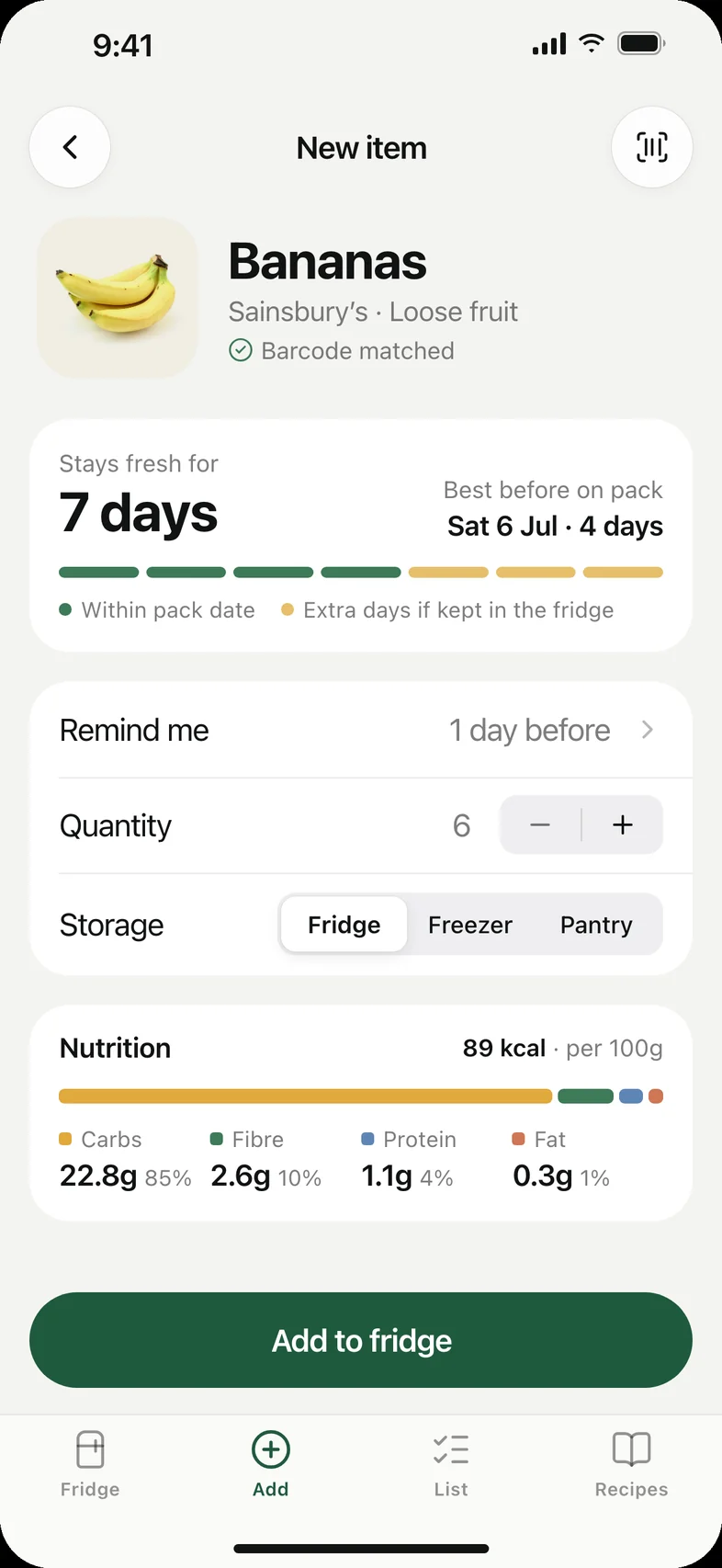
Freshness is estimated the moment food is added.
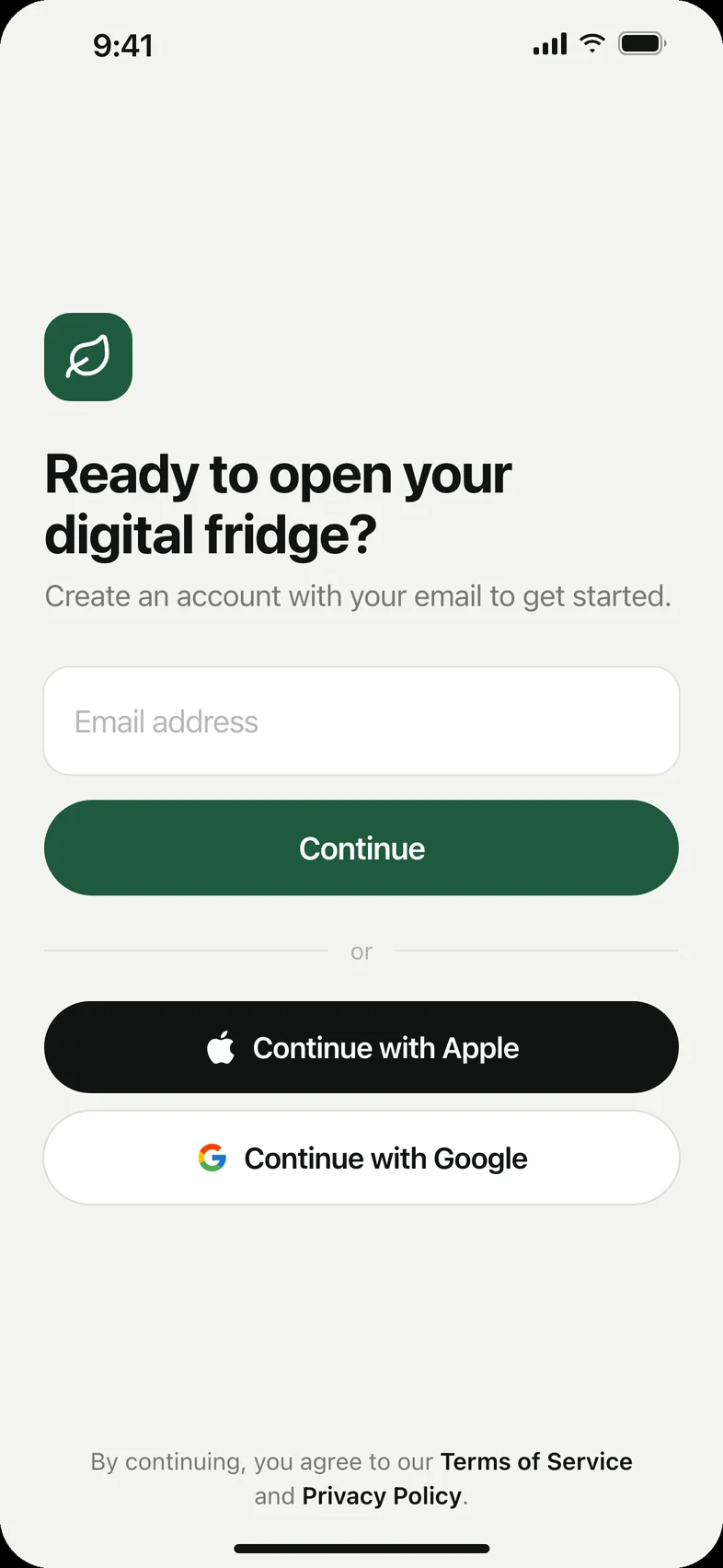
Sign-up asks for one thing at a time.
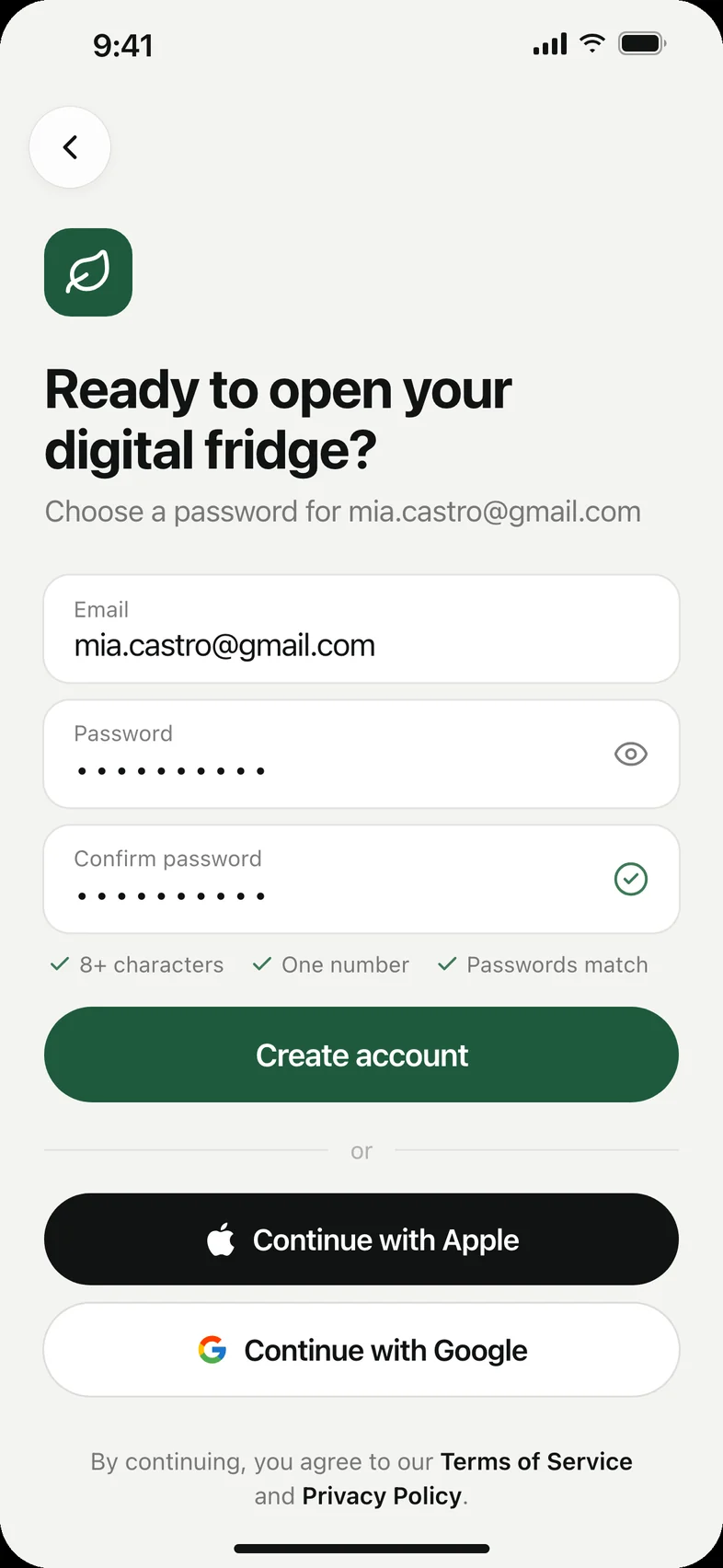
Password rules confirm themselves as you type.
08 / Outcome
Measured against the problem, not engagement.
I tested the three critical user journeys with three participants, each tied to one task.
CUJ 01 / Logging food
As a grocery shopper, I want to document my fridge inventory, so I know what I have.
Task: Add bananas to the fridge inventory
100%
Completed by every tester
CUJ 02 / Expiry check
As a hungry person, I want to know what I should eat that is close to expiry, so I don’t throw it away.
Task: Locate the fridge items closest to expiry
3s
Average time to find
CUJ 03 / Using food
As a busy professional, I want to make dinner without thinking with my current ingredients, so I can focus on work by saving resources.
Task: Find recipes to make with your spinach
9s
Average time to find
09 / Walkthrough
The whole app, end to end.
The full prototype end to end: onboarding, browsing the fridge, editing and adding food, the household, the grocery list and recipes.
10 / Takeaway
Put the effort on the app, not the person.
A broad brief, narrowed by evidence, led to a sharper product. And micro-interactions are what turned a functional app into one people trust.
11 / All screens
Every screen in the final design.
01Welcome
02Sign up
03Sign in
04Your fridge
05Menu
06Profile
07Fridge check
08Food details
09Household
10Add food
11New item
12Grocery list
13Recipe ideas